1 · Record
Describe the field activity.
Capture contractors, locations, work activities, progress, quantities, conditions, conversations, deficiencies, and follow-up.
Construction inspector daily report software
EBR Pro helps construction inspectors turn contractor activity, quantities, field observations, photographs, plan sheets, specification pages, and tickets into one ordered PDF report package.
See the path in 15 seconds
Evaluate the report first, move into a reusable workflow when it fits, and keep the software without a required monthly plan.
A complete daily record
The report should show what happened, where it happened, who performed the work, and which photographs or documents support the record.
1 · Record
Capture contractors, locations, work activities, progress, quantities, conditions, conversations, deficiencies, and follow-up.
2 · Connect
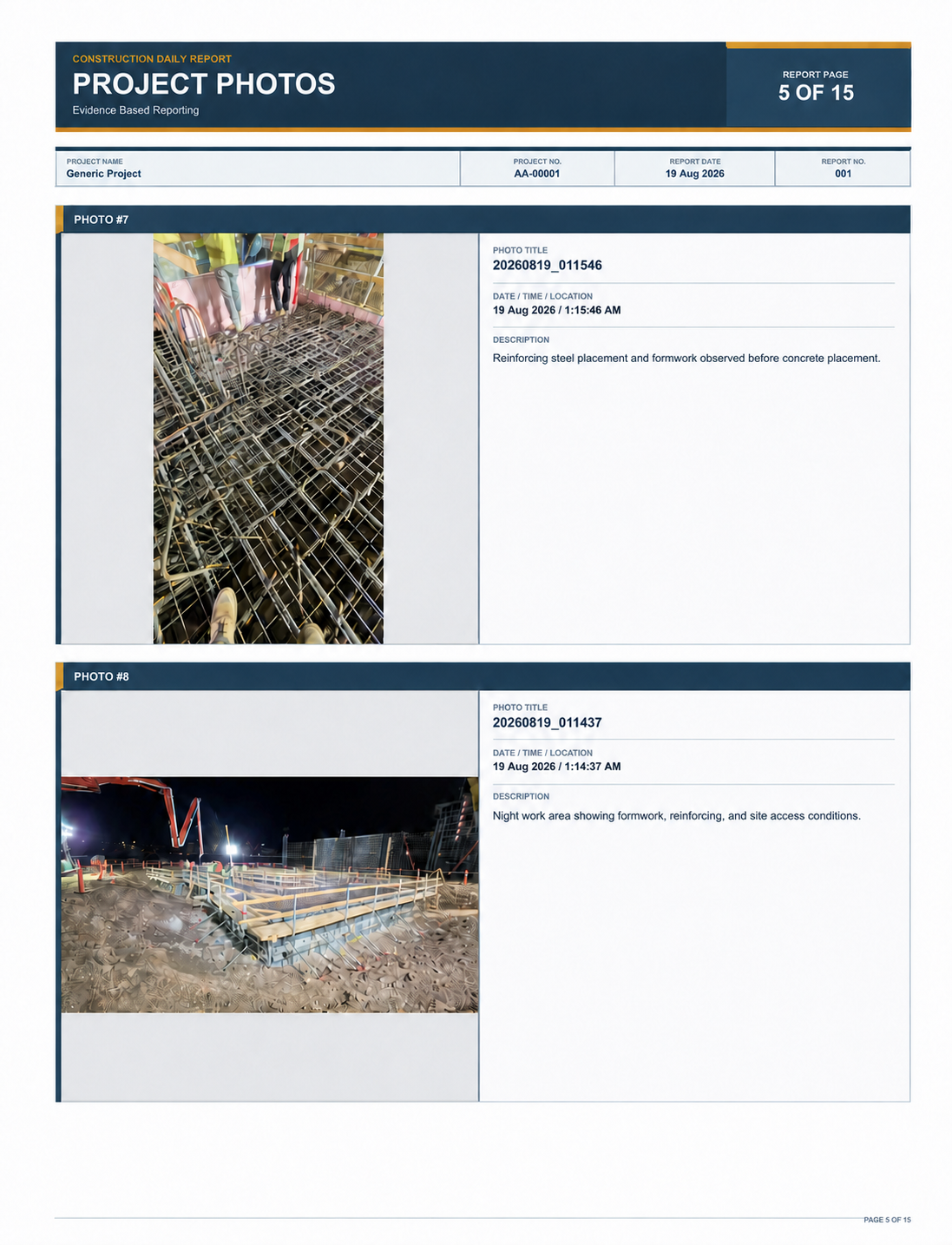
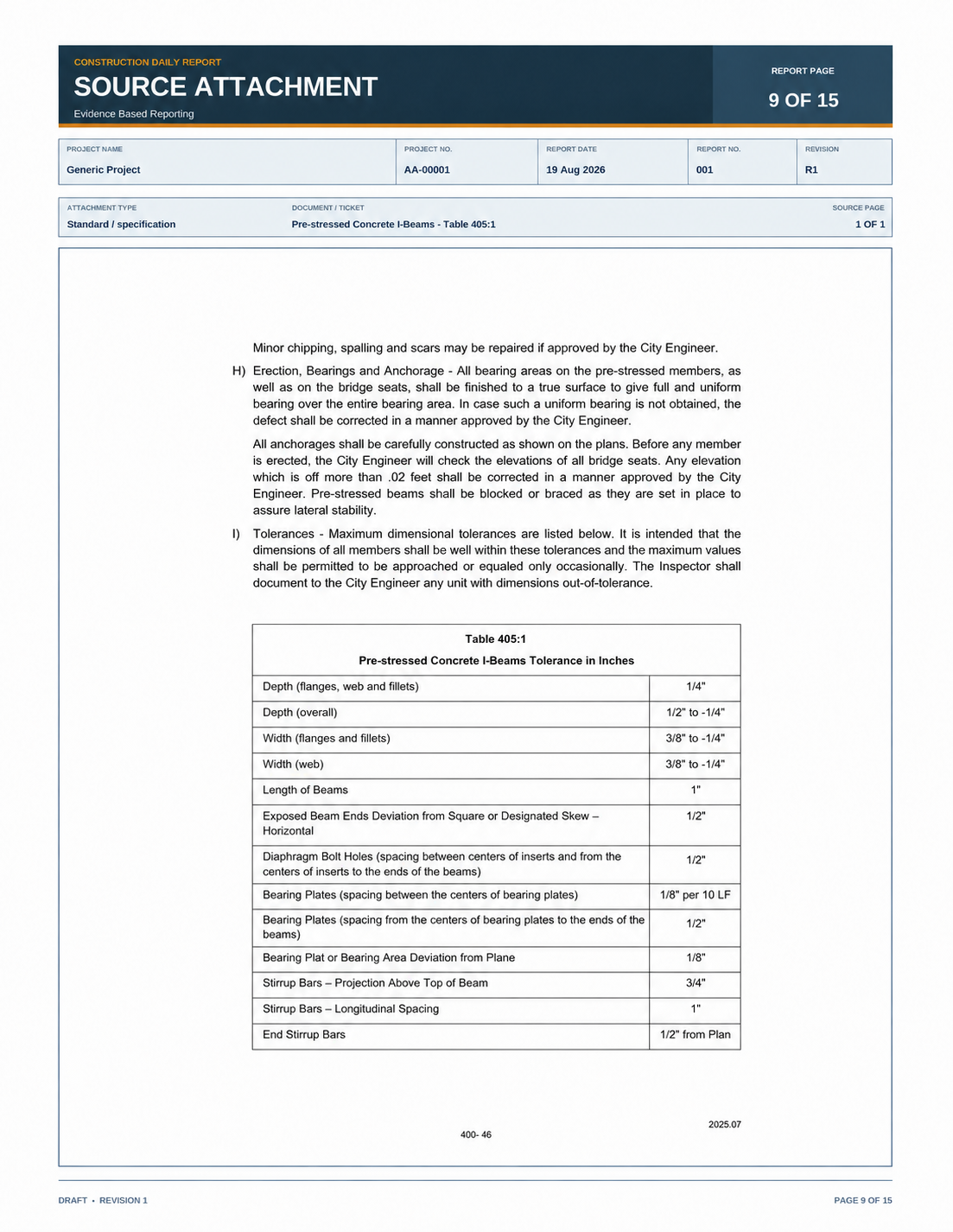
Place photographs, plan references, specification pages, and delivery tickets beside the record they support.
3 · Deliver
Generate a consistent PDF that another reviewer can follow without searching through a separate camera roll or folder tree.
Working product proof
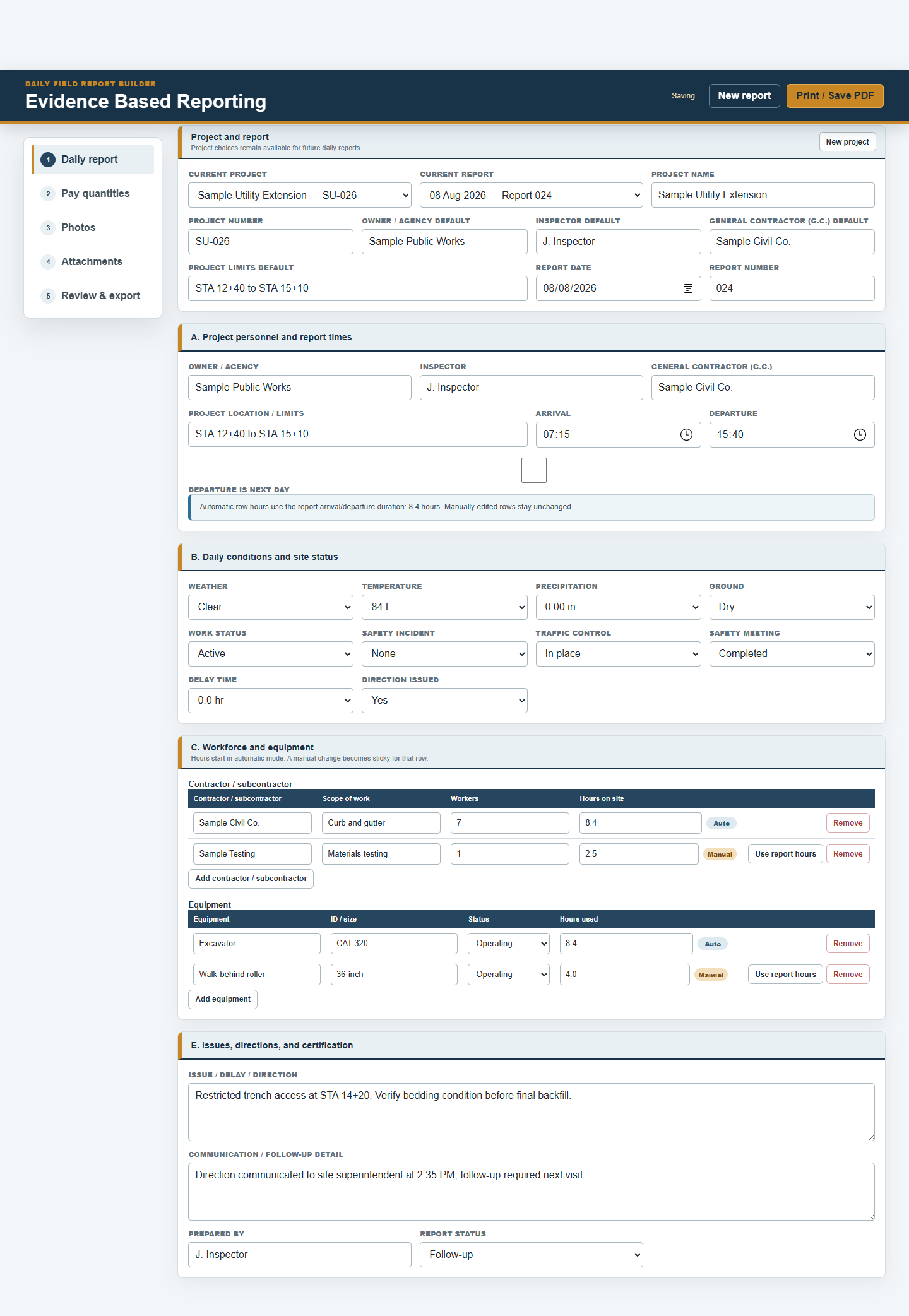
These are real EBR Pro screens and report pages—not stock illustrations or invented testimonials.
Built for repeat work
EBR Pro keeps reusable project and contractor choices available while each daily report remains a separate record of that day. This reduces retyping without turning an old report into the starting point for a new one.
Daily-report coverage
Construction reporting questions
No. The inspector remains responsible for required forms, terminology, review, and submission procedures. EBR Pro helps organize and produce the working report.
The working reporting workflow is local-first. Internet is needed for purchase and installer delivery, while some device transfers require a trusted local Wi-Fi network.
EBR Pro includes three installer download credits. Each credit may be used for Windows or Android in any combination.
Yes. Download the watermarked five-page Trial without an account or checkout.
No. EBR Pro is sold as a $25 one-time purchase for the product and version identified at checkout.
Related workflow
See how reusable project information carries into a separate report for each day.
Explore the daily-report workflow →Field connectivity
Understand what remains local and where internet or trusted Wi-Fi is still required.
Review offline-first operation →Ownership
See the exact one-time price and what the purchase includes.
Review one-time ownership →Start with the real report
Download the watermarked Trial free, or purchase EBR Pro for Windows and Android for $25 once.